Door entry for flats
A door entry system with no hardware at the door.
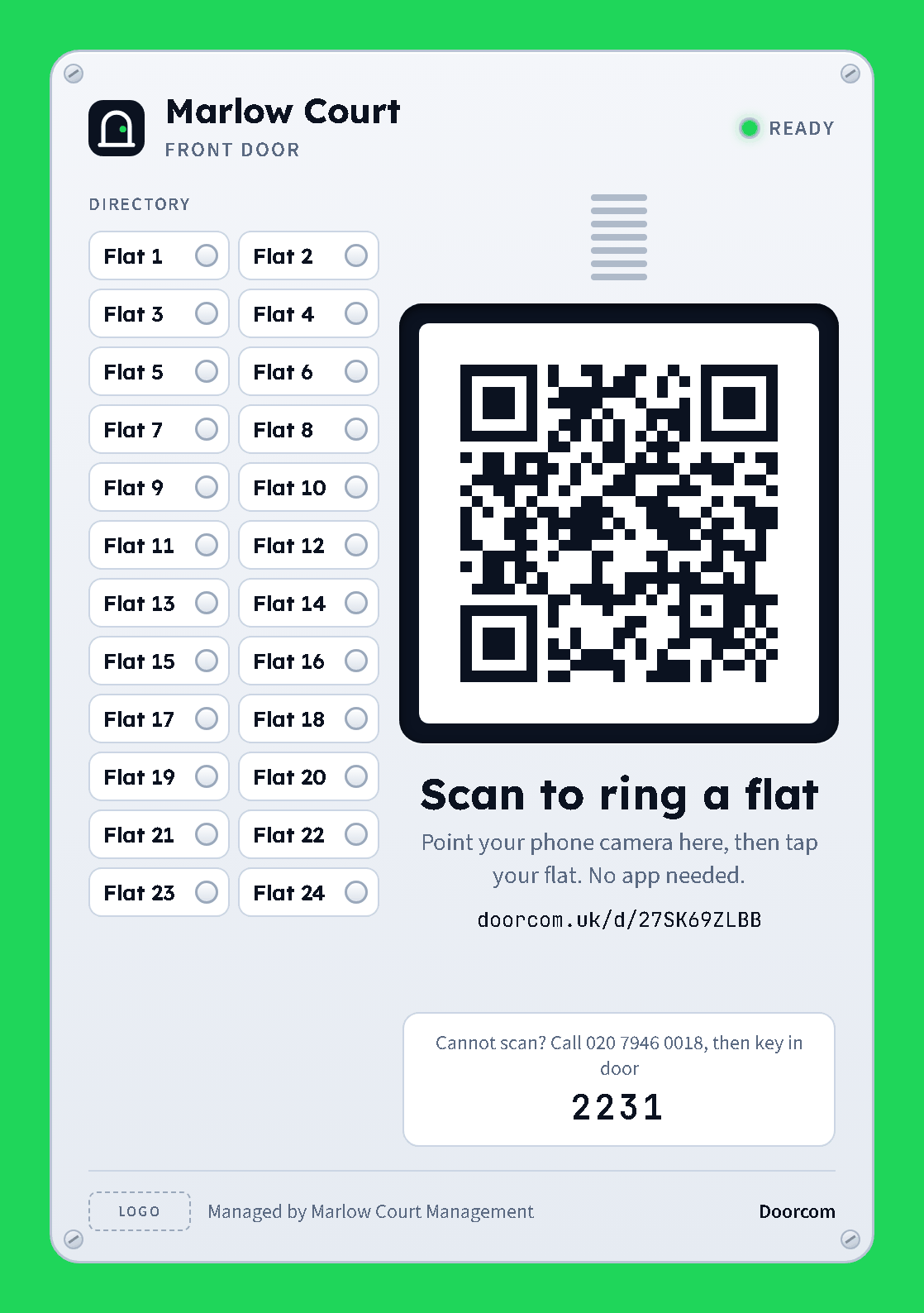
A poster on the door that looks like the panel it replaces. The visitor's own phone is the bell. The resident's ordinary phone is the handset. An Access Controller board releases the lock.
How a visit works
Scan, tap a flat, talk, and the door opens.
1. The poster is the panel
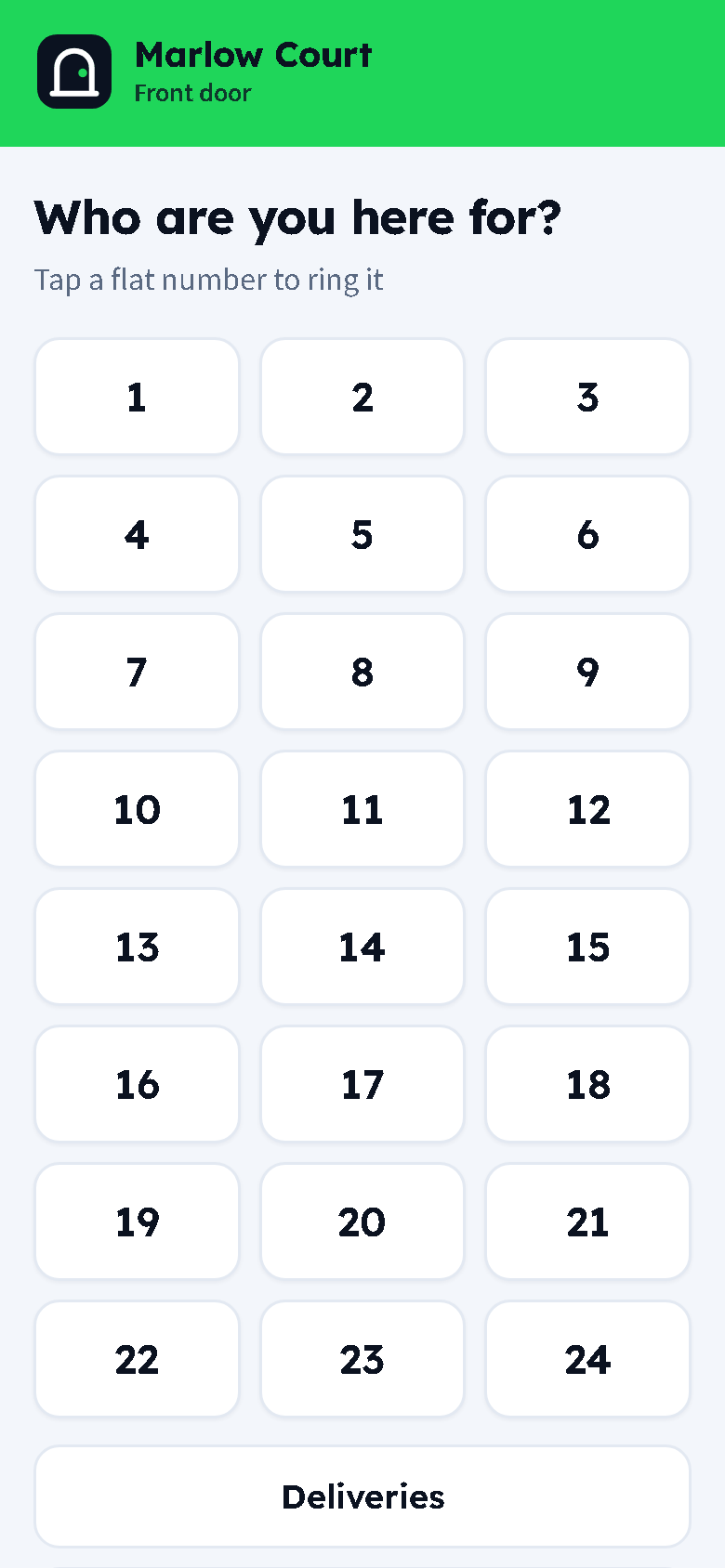
The visitor points their camera at the QR on the door poster. The bell page opens with a button per flat. No app, no account, and it loads fast on a weak signal.
2. Every resident's phone rings
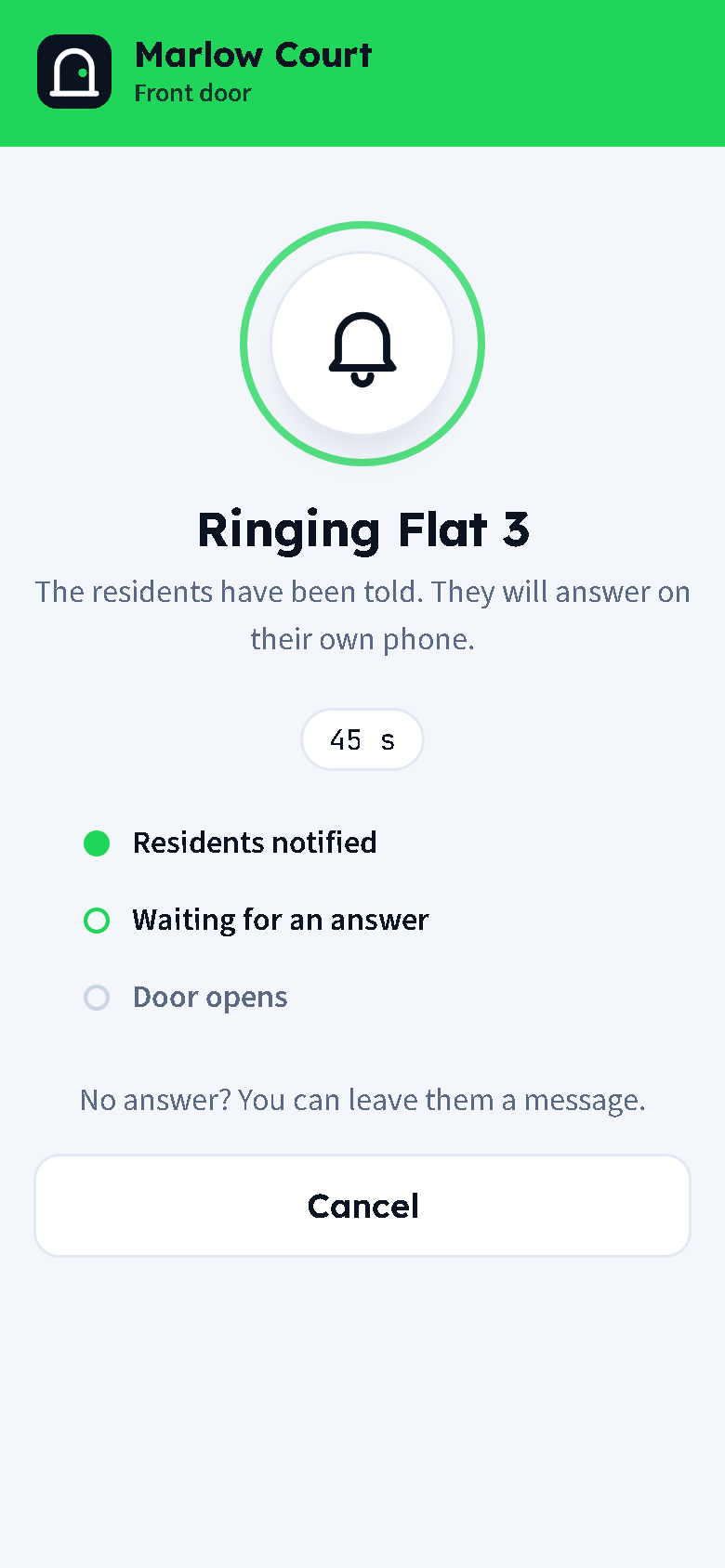
Each person in the flat gets a Telegram message with a photo of who is there and Open door and Not now buttons, and their ordinary phone rings at the same time. First answer wins.
3. Press 2 and the door opens
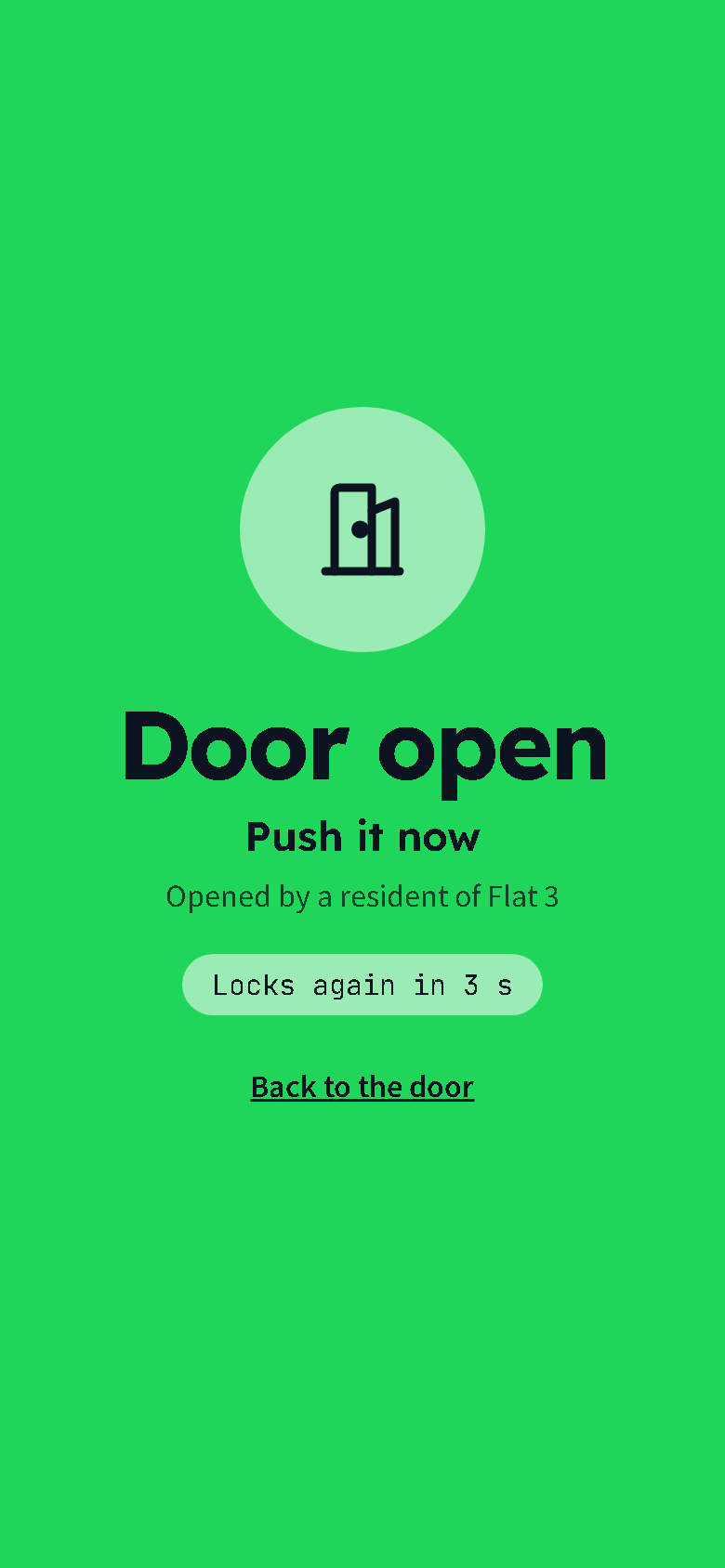
On the phone call the resident hears who is at the door and presses 1 to talk or 2 to open. Only a keypress counts, so voicemail never answers the door. The visitor's screen turns green.
Resident portal
The building talks back.
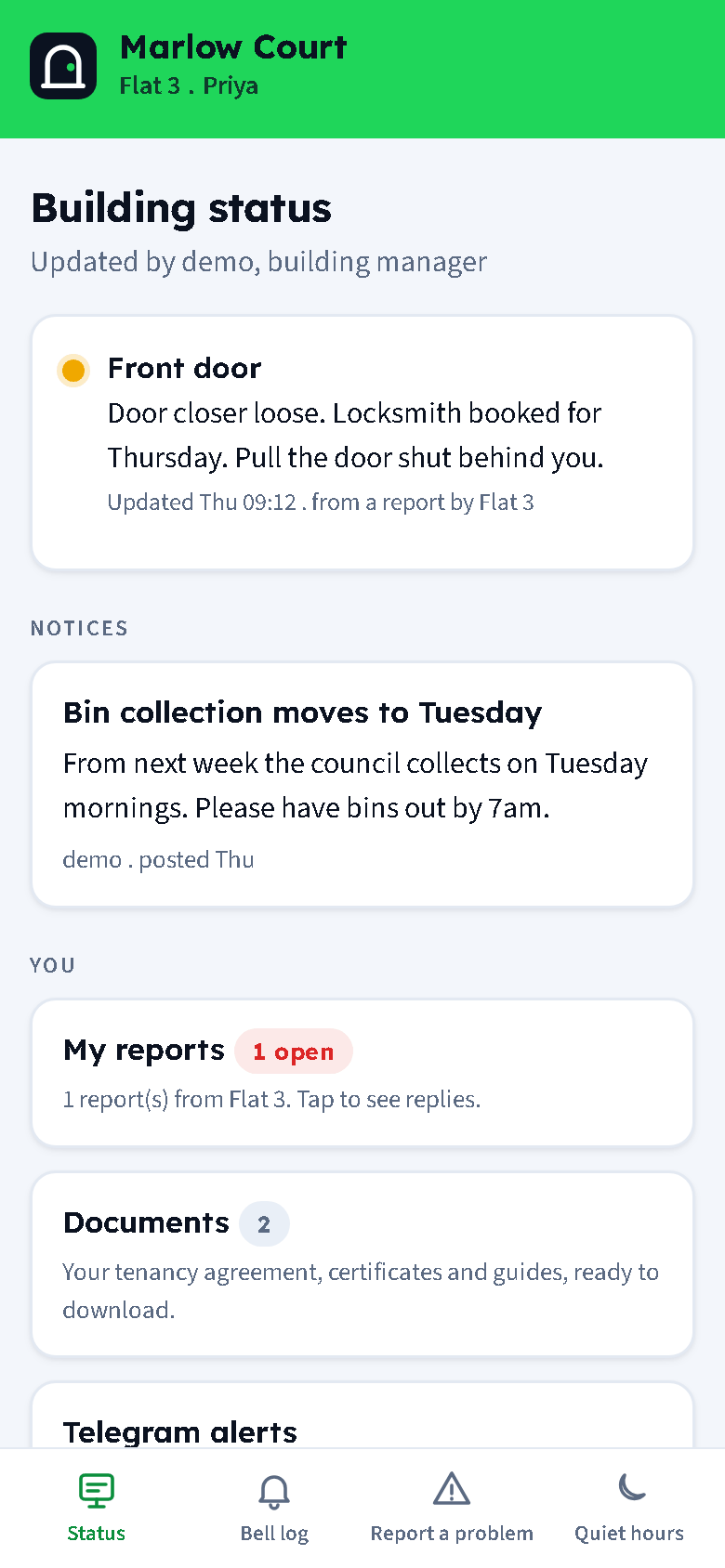
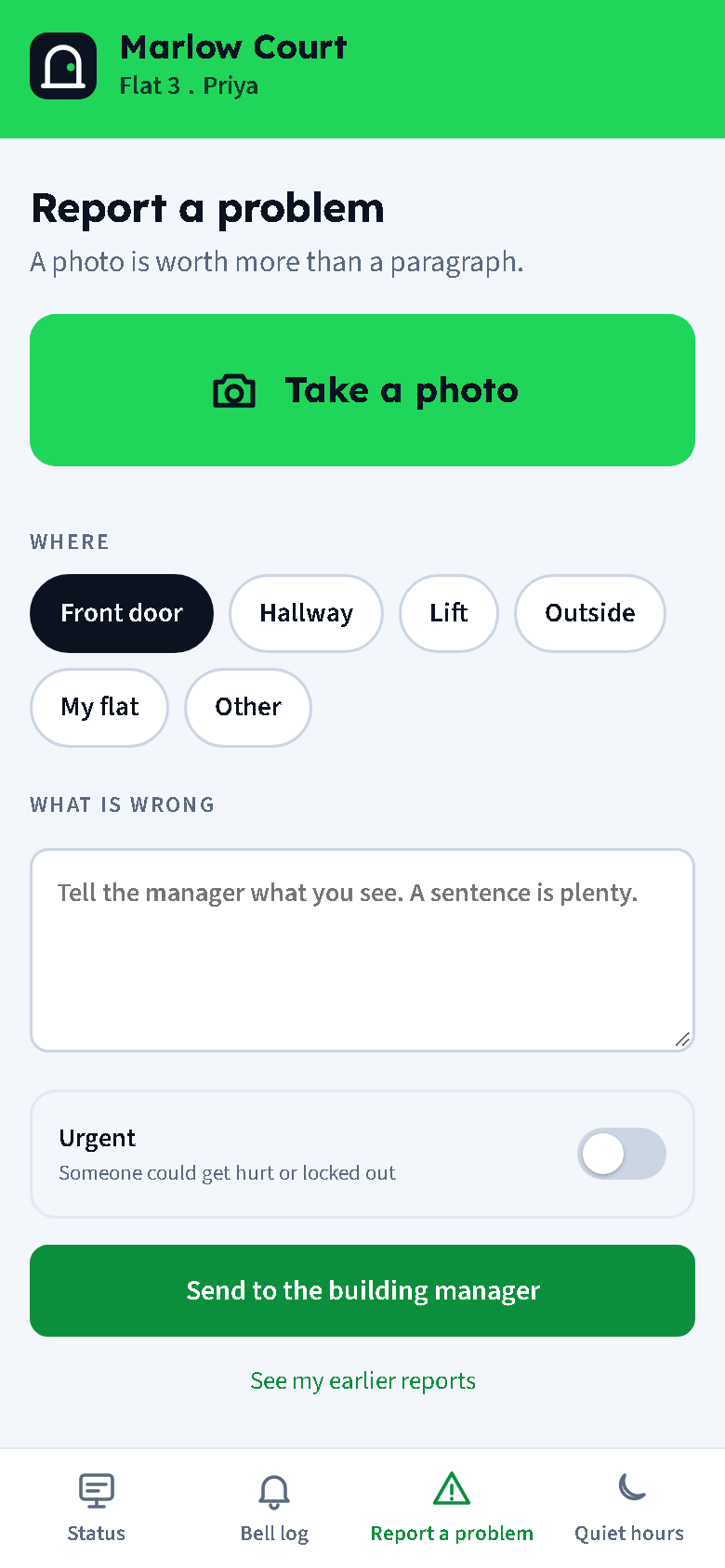
Residents sign in with a text message code, not a password. They see the building status board and notices, their own bell log, and can report a problem with a photo in under a minute. The manager's reply lands in the same thread.
Quiet hours, Telegram linking and door snapshots are the resident's own choice.
For managers
Issues, trades and jobs, with no numbers shared.
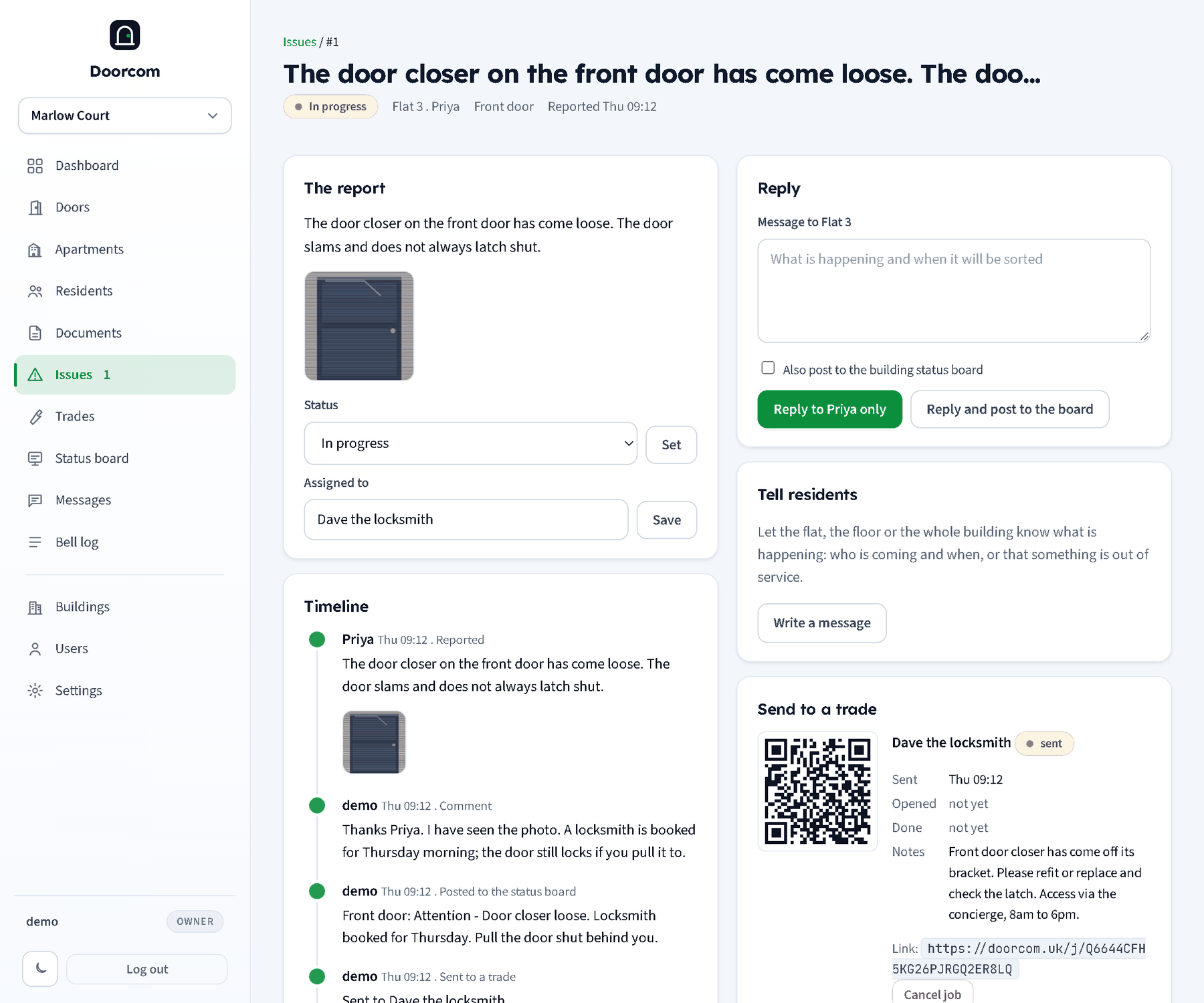
Every report becomes an issue with photos and a timeline. Reply to the flat, post to the status board, or send the job to a trade. The trade gets a link by Telegram, text or email and marks the job done from their phone. The resident confirms it is fixed. Nobody sees anyone else's phone number.
Documents for renters with the UK checklist, messages to a floor or the whole building, and staff logins for your own maintenance people are all in the same panel.
What is in the box
Poster, sticker, claim cards
Printable from the panel: an A5 or A4 poster that looks like an entry panel, a 100 mm door sticker and a claim card per flat.
Phone line too
A caller who cannot scan rings the building line, keys in the door's dial code and the flat number, and lands in the same flow.
Telegram with a photo
The visitor page can send one camera frame with the ring, so the resident sees who is there before opening.
Status board
Front door, lift, bins: each with a green, amber or red dot and a line of text, shown to every resident.
Documents for renters
Tenancy agreement, gas safety, EICR, EPC, deposit and the rest, with a coverage table per flat and expiry dates.
Works with Access Controller
Releases the lock through an Access Controller board. Ring-only mode works for a concierge desk with no lock at all.
Pricing
- Calls included
- Doors unlimited
- 15 GBP minimum per building
- Billed monthly on the flats that have claimed
Get an account
Tell us about your buildings and we will set you up. Your account runs as a trial until the Direct Debit is in place.
Doorcom ships as one program with one database file, so it also runs on your own server if you prefer. The manual covers both.