Features
Everything Doorcom does, in one place.
Doorcom replaces the entry panel with a poster and the wiring with the phones people already carry. Around that it adds the things a block of flats needs anyway: a way to report problems, a way to get trades in, the documents a renter must be given, and a way to tell everyone the water is off on Thursday.
At the door
The poster is the panel
An A5 or A4 poster with a grey faceplate, a directory of flats, the QR code in a black bezel, the building line and the door's dial code. It looks like the panel it replaces.
The visitor's phone is the bell
Scanning opens the bell page: the building name and a button per flat. Under 20 KB, no scripts needed to ring, works on a weak signal.
Live status
Ringing, talking, door open, no answer: the visitor's screen follows the ring live, with a countdown.
Door open, push it now
When a resident opens, the whole screen turns green and says how long the lock stays released.
Leave a message
No answer, or quiet hours: the visitor can leave a text or a voice message. It reaches the residents on Telegram or by email and sits in their bell log.
Deliveries and trades buttons
Optional buttons on the bell page with the landlord's own instructions for couriers and tradespeople.
Phone line entry
Cannot scan? Call the building line, key in the door's dial code, then the flat number. The same residents' phones ring.
Day and night theme
The bell page is light by day and dark at night, worked out from sunset at the building, so nobody is dazzled on the doorstep.
Rate limits and quiet hours
Three rings per visitor per door in five minutes, one per flat every thirty seconds, twenty per door an hour. Quiet hours per building, with a per-flat override.
Answering
Telegram with a photo
Each resident of the flat gets a message from the building's bot with the visitor's snapshot and Open door and Not now buttons. Tapping Open releases the door.
The ordinary phone is the handset
Every resident's mobile rings at the same time. A short whisper says which door and which flat: press 1 to talk, 2 to open the door.
Keypress confirm, so voicemail never wins
Only a keypress counts as an answer. A phone that is off, diverted or on voicemail never captures the call; that leg is dropped and the others keep ringing.
First answer wins
Whoever answers first, on Telegram or by phone, handles the visitor. Everyone else's message is updated to say who opened.
Bell log
Every ring is logged: door, flat, outcome, who answered and how, and any message left, with snapshots kept for seven days.
Access Controller release
The lock is released through an Access Controller board over HTTP. Ring-only mode works for a concierge desk where someone walks down.
The resident portal
Sign in by text, no password
A resident claims a flat with the card the manager gives them, or the QR the receptionist shows them. Mobile number, a six-digit code, done. Sessions last a year.
Status hub and notices
Front door, lift, bins and anything else the manager posts, each with a coloured dot, plus dated notices.
Report a problem, photo first
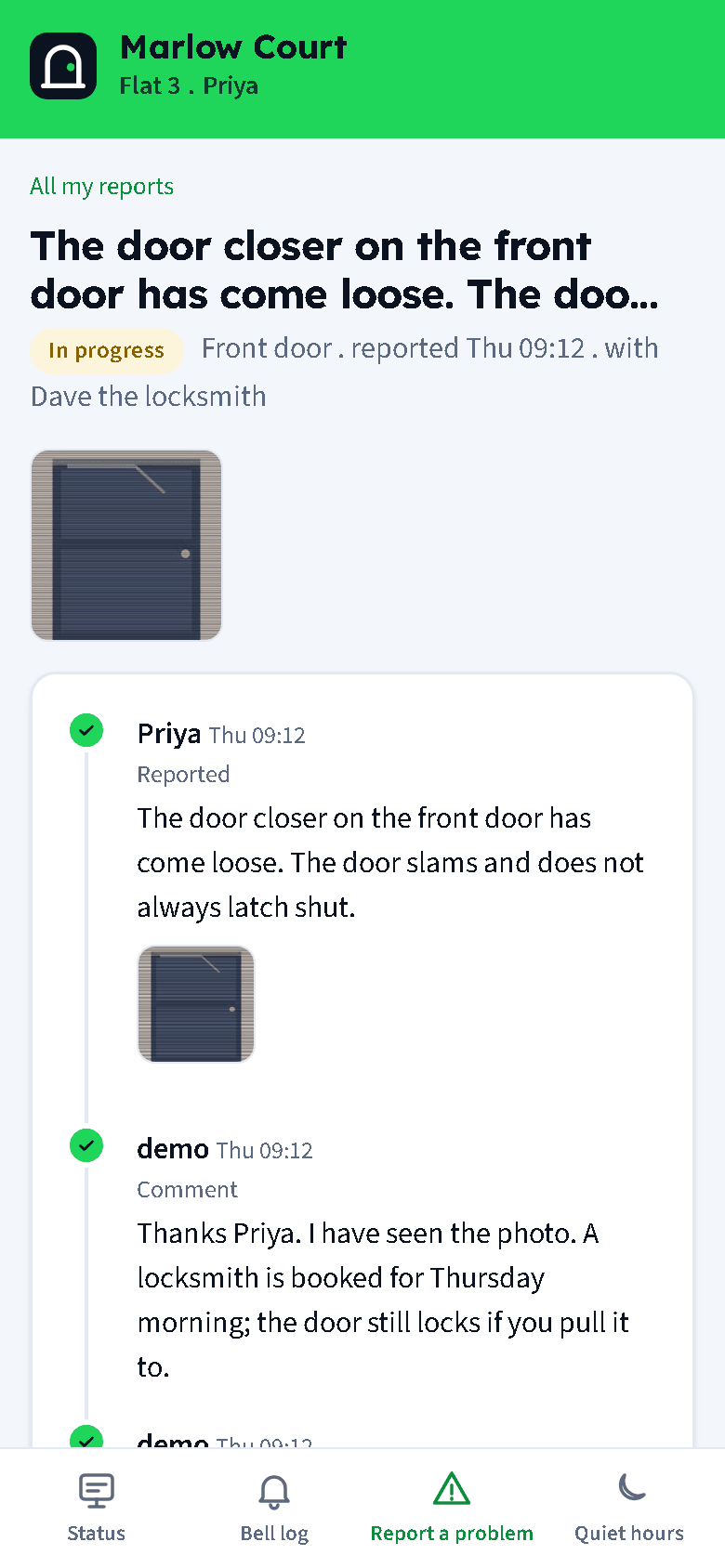
Take a photo, tap where it is, say what is wrong, flag it urgent if someone could get hurt or locked out. Replies arrive in the same thread and the resident confirms when it is fixed.
Documents
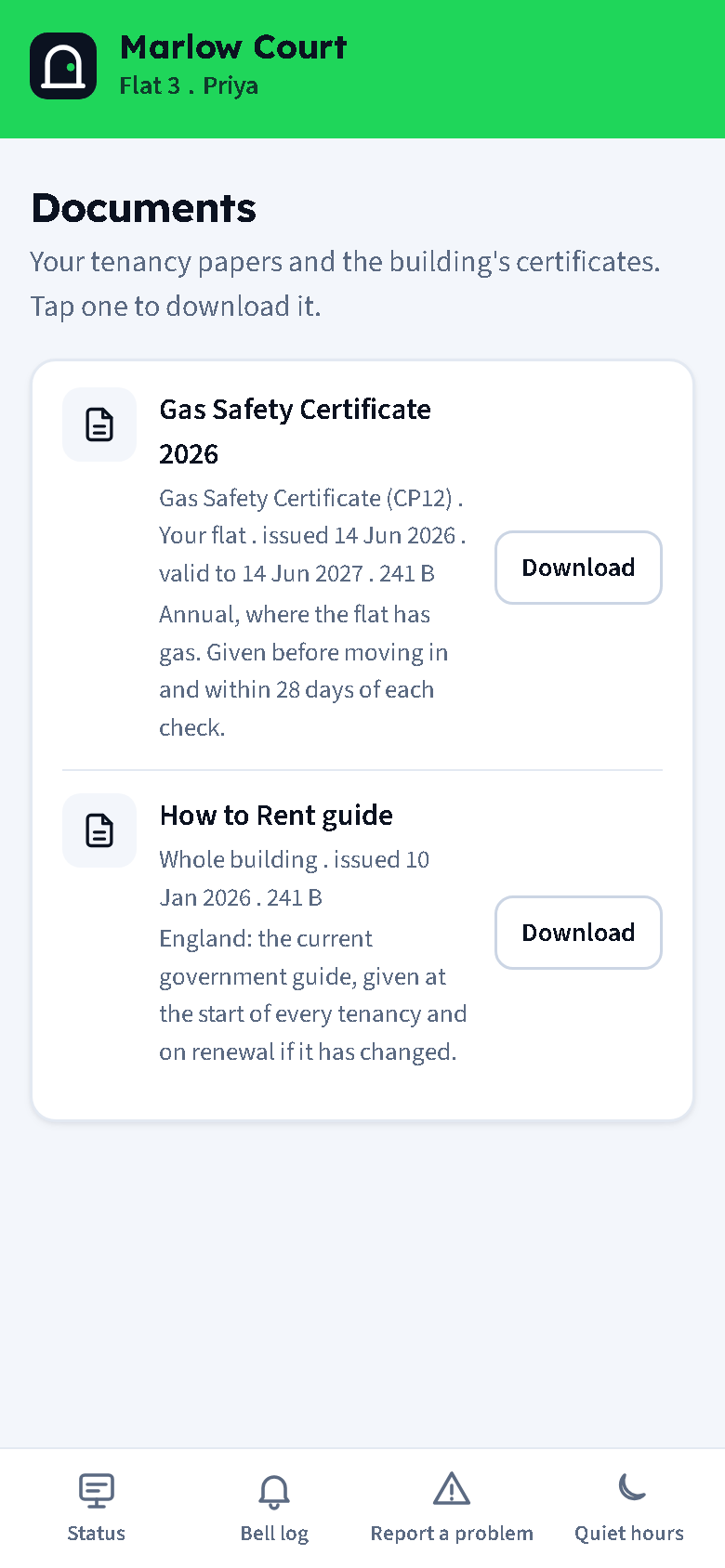
The flat's tenancy papers and the building's certificates, with validity dates, ready to download.
Preferences
Quiet hours for the flat, Telegram, phone call and email on or off, door snapshots on or off, and Leave this flat when moving out.
For managers
Issues with a timeline
Counts of open, in progress and fixed this month with the median time to fix. Each issue has the photos, a status, an assignee and the whole conversation.
Reply and post to the board
One reply can go to the flat and onto the status board at the same time, with a clears-on date and an optional Telegram to everyone.
Trades and jobs
Type a name in the Send to box; a new trade is created on the spot. The job goes out as a link by Telegram, text and email, and as a QR for someone standing at the desk.
No numbers shared
Trades and residents only ever see each other through the thread. Phone numbers and emails are never shown to anyone who does not own them, and never rendered as links.
Staff logins
Your own maintenance people get a cut-down login: their jobs, the issues and the status board, and nothing else.
Documents for renters
The UK checklist: tenancy agreement, How to Rent, EPC, gas safety, EICR, deposit protection and more. A coverage table shows what is missing or expiring per flat.
Messages to a floor or building
A three-step wizard: who, what, how. Templates for a contractor visit, water off, a fire alarm test and a lift out of service. Every send is recorded.
Sign-up dialog and claim cards
Show the tenant a QR on screen, print a claim card, or text or email them the link.
Billing helper
Claimed flats per building on the first of each month, twelve months back, with a CSV export.
Under the hood
One binary, one file
Doorcom is a single Go program with a SQLite database. Hosted by us at doorcom.uk, or on your own Linux server behind Caddy.
JSON API
A bearer token per building: ring a flat, release a door and read the ring log from your own systems.
Privacy by default
Door pages are unguessable and can be rotated. No visitor identity is kept beyond a hashed rate-limit key. Snapshots, voice messages and photos are purged on a schedule.
Email, SMS and Telegram
Each person is reached the way they have: Telegram when linked, email when they have one, a text when they have neither.