For landlords and managers
One panel for the door, the residents and the jobs.
Doorcom's management panel runs in a browser on a desk or a phone. Owners see every building; managers see their own. Maintenance staff see only their jobs.
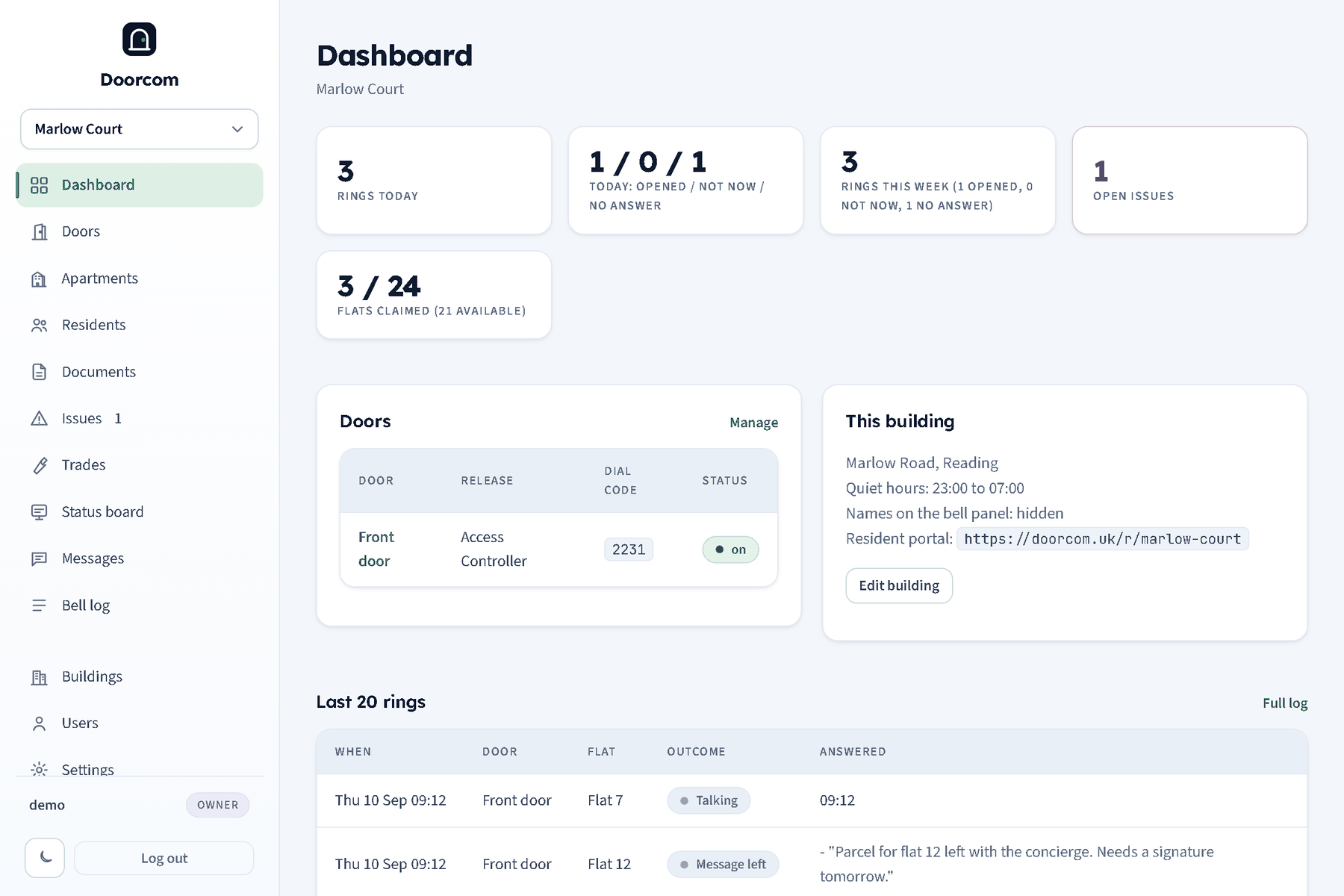
Issues that get closed
A resident's report arrives with photos, a location and an urgent flag. You reply to the flat, or reply and post to the status board in the same go, so everyone knows the lift engineer is booked. Mark it fixed and the resident is asked to confirm; if it is still a problem they can reopen it and you are told.
The list shows what is open and in progress, what was fixed this month, and the median time to fix.
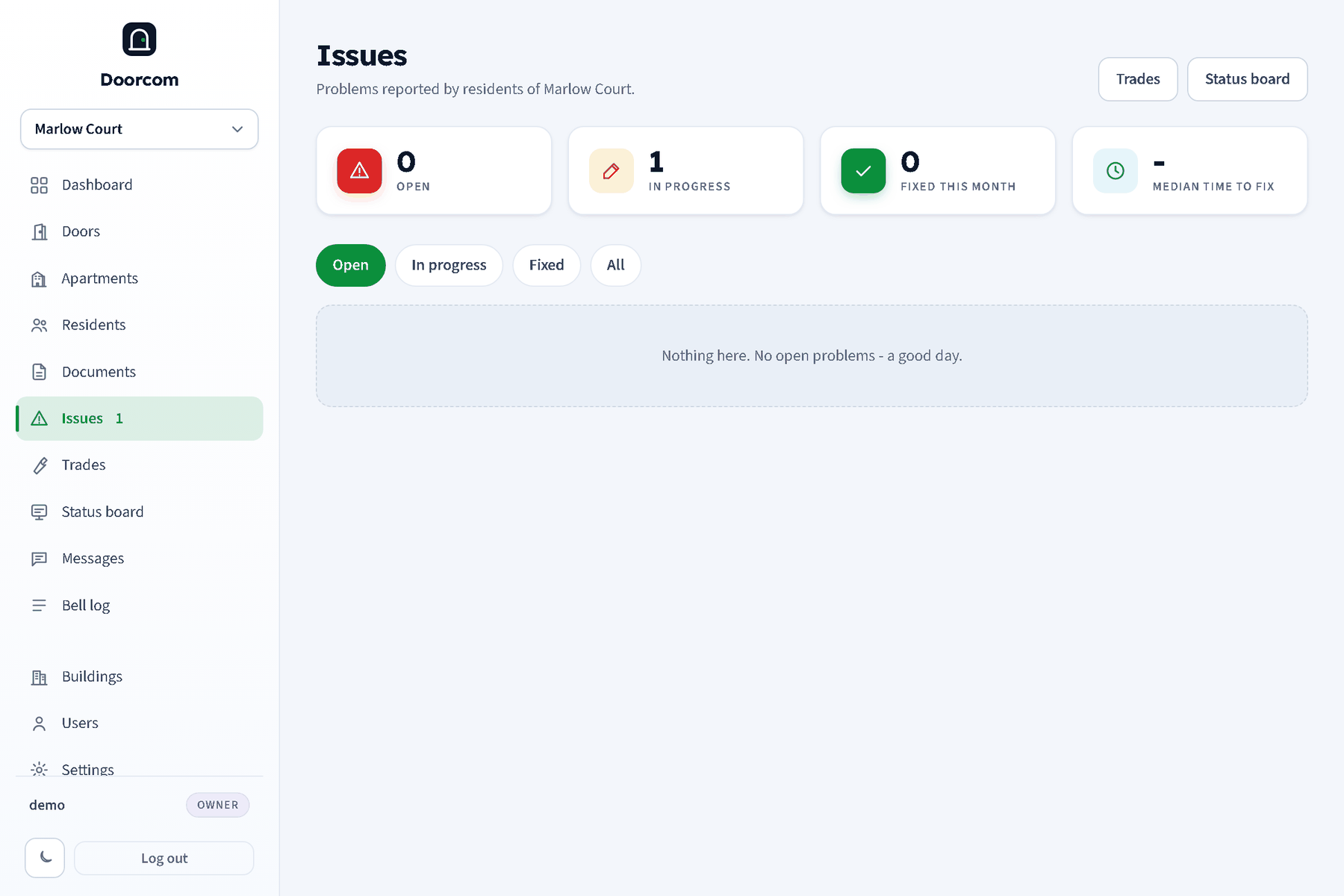
Send the job to a trade, in one box
Type "plumb" in the Send to box and every plumber you have used comes up. Type a new name and the trade is created on the spot, with the job sent in the same step. The trade gets a link by Telegram, text and email, or scans the QR at the desk. From the link they see the report, the photos and your instructions, can message the resident through the thread, and mark the job done with a note and a photo.
Each trade also has a permanent login QR: scan it once and their phone shows every open job across your buildings. No passwords, ever.
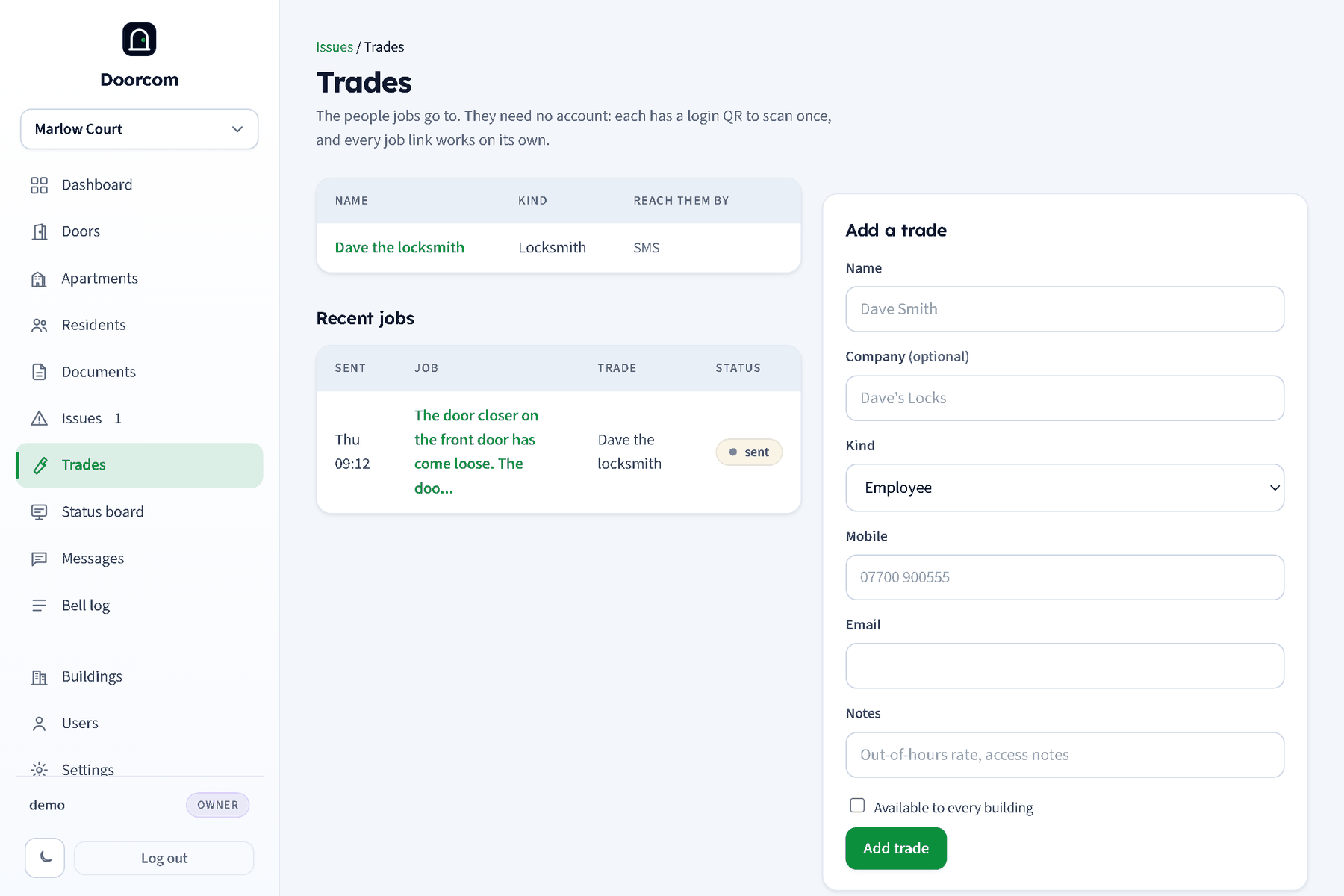
The documents a renter must be given
Upload a PDF or a photo, label it from the UK checklist, and say whether it is for one flat or the whole building. Expiry is suggested from the kind: gas safety twelve months, EICR five years, EPC ten. The coverage table shows every flat against the required documents: ok, expiring within sixty days, expired or missing.
Residents are told when a new document is there and can download it from their portal.
Tell a floor, or everyone
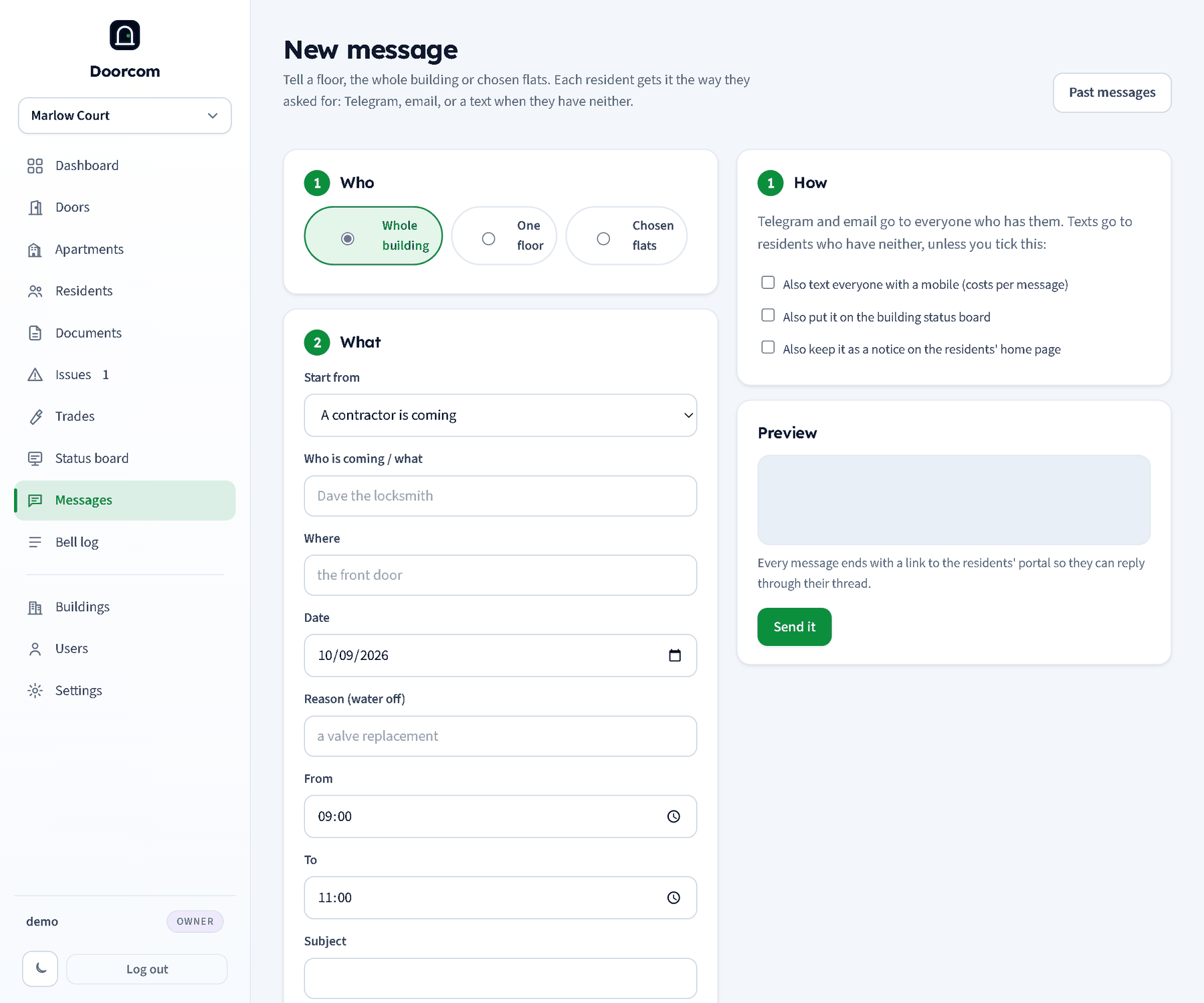
Who, what, how. Pick the whole building, one floor or chosen flats. Start from a template: a contractor is coming, water off, fire alarm test, lift out of service. Fill in who, where, the date and the times, and edit the text. Each resident gets it the way they have asked for; a text goes to those with neither Telegram nor email. Put it on the status board and keep it as a notice in the same send.
From an issue, Tell residents opens the wizard with the audience and the trade's name already filled in.
Also in the panel
Doors
Release mode, dial code, ring timeout, deliveries and trades text, which flats a door rings. Rotate the code and the old poster stops working.
Flats and floors
Bulk add, labels, available, claimed and disabled. Disabling a flat takes it off the bell grid without losing its residents.
Residents
Search by name, mobile or flat. Move someone out when they leave; the flat goes back to available.
Staff logins
A maintenance role for your own people: their jobs, the issues and the status board, and never residents' numbers.
Bell log and change log
Every ring, open, decline and message in the bell log; every sign-up, move, setting, notice and login in the change log. Both filter by door, flat, kind and date and export to CSV.
Billing
Claimed flats on the first of each month per building, twelve months back, as a table and a CSV.