Buildings and doors
A building holds its doors, flats, residents, issues and documents. A door is one QR code, one dial code and one way of releasing a lock. A building can have as many doors as it likes: front door, car park gate, side entrance.
Buildings
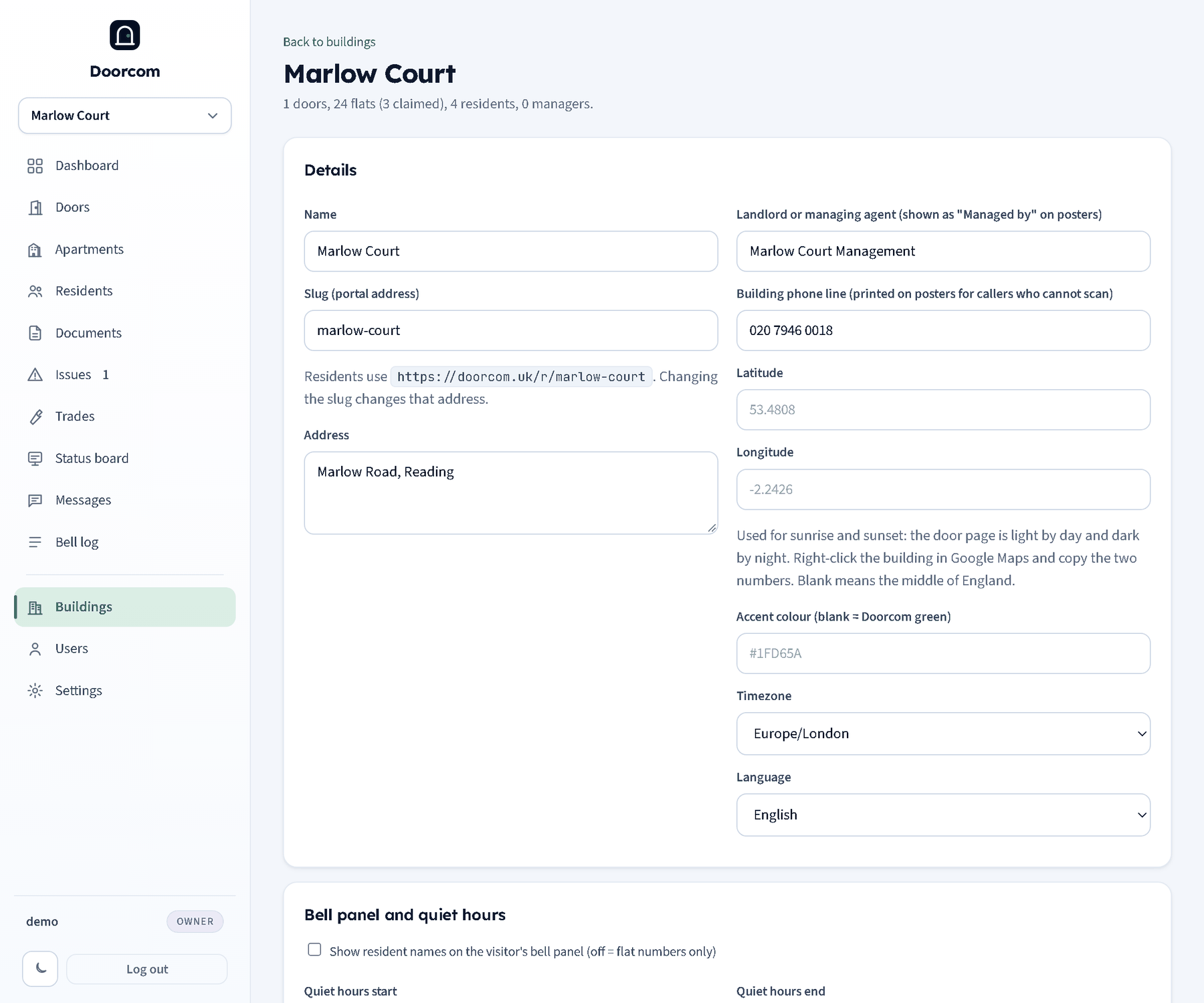
Buildings in the sidebar is for owners. Each building has a name and a slug (used in /r/<slug>, the resident portal), an address, the landlord name and phone line for the poster, a timezone, quiet hours, the show-names switch for the bell grid, coordinates for sunset, a logo and an accent colour. The building page also shows the building's API token for the JSON API, with a button to issue a new one.
Deleting a building deletes everything in it. Owners switch between buildings with the select at the top of the sidebar; managers are pinned to their own.
Doors
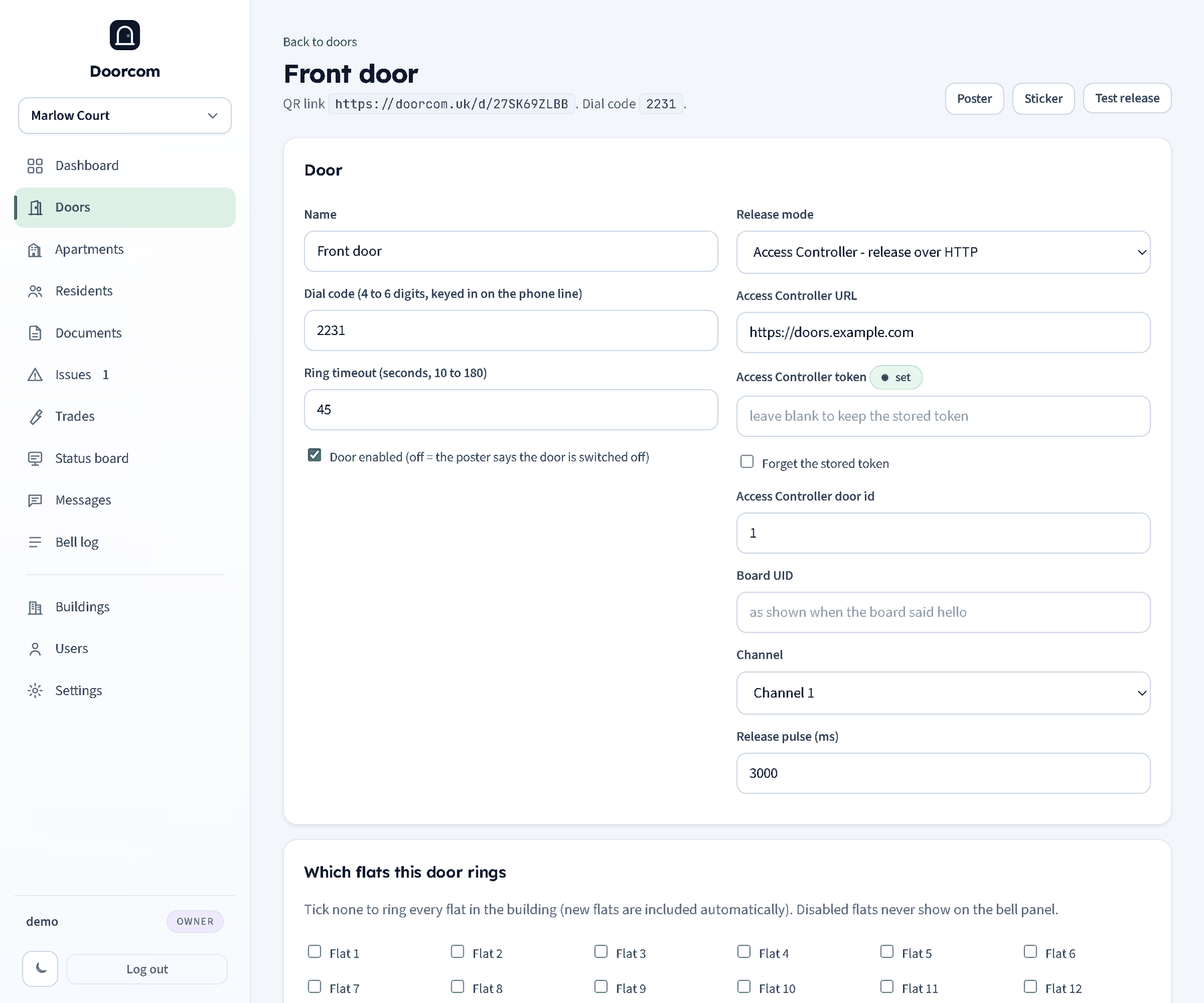
Doors lists each door with its release mode, dial code, the QR link and how many flats it rings. Adding a door needs only a name; everything else is on the door's page.
- Name
- Shown on the poster, the bell page and in every notification ("Front door: someone is ringing Flat 12").
- Dial code
- Four to six digits, unique across the whole service. A caller on the building's phone line keys this in, then the flat number, to ring the same residents. Two doors cannot share a code; the page says so if you try.
- Ring timeout
- Seconds the ring lasts before the visitor is offered the message form. 10 to 180; the default is the service-wide setting, 45.
- Door enabled
- Switch it off and the poster's QR shows "This door is switched off" instead of the bell grid. Rings are refused. Nothing else changes.
- Which flats it rings
- Tick the flats a door can reach. Nothing ticked means every flat, including flats added later. A car park gate might ring only the ground floor, for example.
- Deliveries text and trades text
- When either has text, the bell page gets a Deliveries or Trades button that shows it. A Deliveries ring during quiet hours becomes a message instead of being refused.
Release modes
Each door chooses how the lock is released when a resident opens.
- Ring only (none)
- Nothing is released. Rings, Telegram, calls and the log all work; the resident walks down, or a concierge lets the visitor in. Also the right mode while a board is being installed.
- Access Controller (acs)
- Doorcom posts to the Access Controller panel's release endpoint:
{Access Controller URL}/api/doorphone/releasewith the bearer token and a JSON body of the Access Controller door id, who opened it, the ring id and the pulse length. Fill in the panel's URL, its token and the door id from that panel. The panel logs the opening as coming from Doorcom. - MQTT board (mqtt)
- Reserved for boards talking straight to Doorcom's own broker without an Access Controller panel. The fields (board UID, channel) can be saved but this mode is not built in this version; a release in mqtt mode fails and is logged.
Pulse is how long the lock is released, in milliseconds (3000 by default). The visitor's Door open screen counts it down.
Testing the release
Test release on the door's page fires the release straight away, with no ring, and writes a "Test release" line in the bell log with your username. If the Access Controller rejects it, the error is shown at the top of the page and logged. This is the way to check the URL, token and door id before a poster goes up.
Rotating a door code
The QR on the poster points at /d/<door code>, ten random characters. If a poster is photographed and shared somewhere it should not be, Rotate door code issues a new code: the old QR stops working at once, the dial code stays the same, and you print a new poster. The rotation is logged.
Deleting a door
Deleting a door removes its rings from the log as well. Disable it instead if you may want the history.