Documents for renters
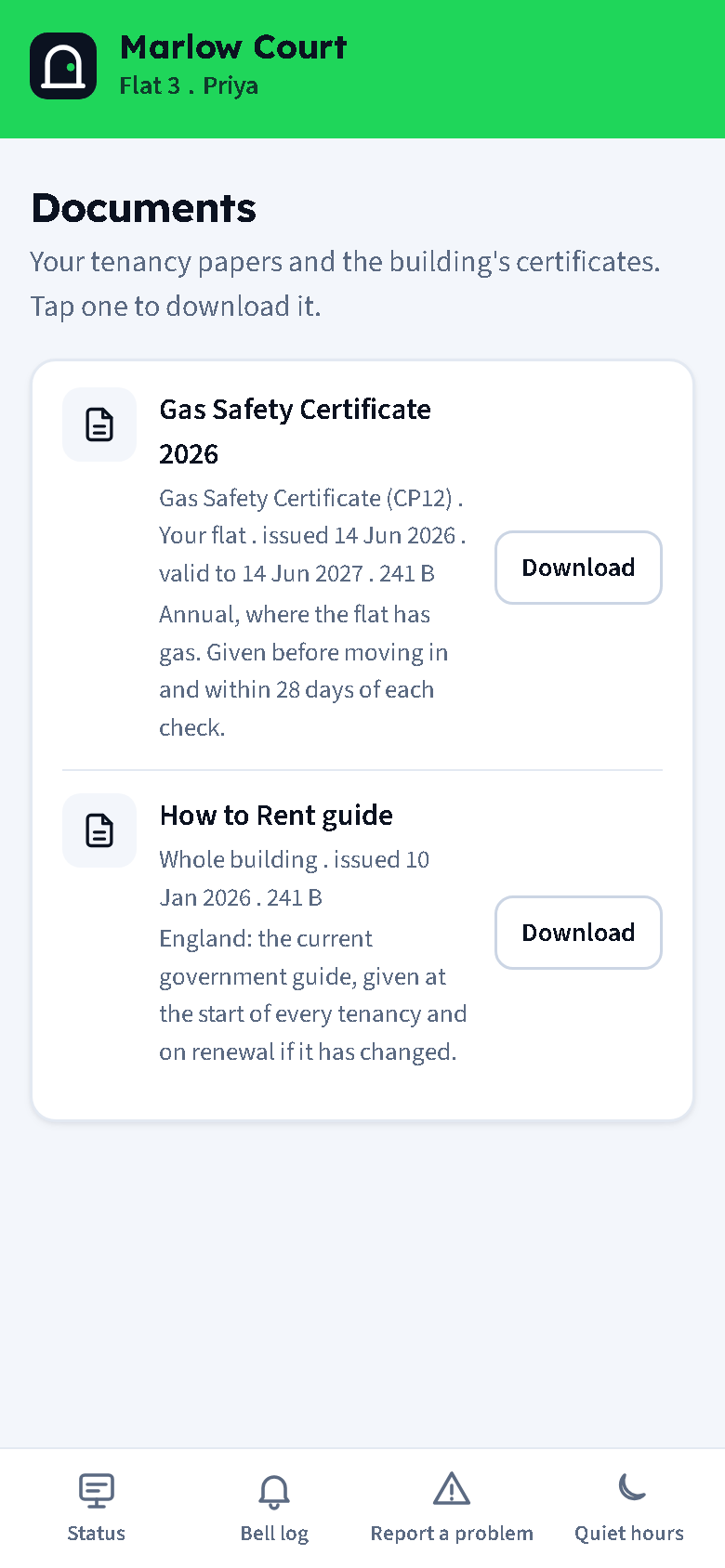
A landlord in England has to give a tenant certain documents, and it helps to keep them where the tenant can find them. Documents stores each file against a flat or the whole building, labels it from the checklist, tracks expiry, and makes it downloadable in the resident portal.
The checklist
Every upload is labelled with one of these kinds. "Required" drives the coverage table; the notes are Doorcom's summary of the usual rule, not legal advice.
| Kind | Required | For | Expiry suggested |
|---|---|---|---|
| Tenancy agreement | yes | one flat | none |
| How to Rent guide | yes | flat or building | none |
| Energy Performance Certificate (EPC) | yes | flat or building | 120 months |
| Gas Safety Certificate (CP12) | yes | one flat | 12 months |
| Electrical Installation Condition Report (EICR) | yes | flat or building | 60 months |
| Deposit protection certificate and prescribed information | yes | one flat | none |
| Inventory and check-in report | no | one flat | none |
| Fire safety information | no | building | none |
| Legionella risk assessment | no | flat or building | 24 months |
| Buildings insurance summary | no | building | 12 months |
| Other document | no | flat or building | none |
Uploading
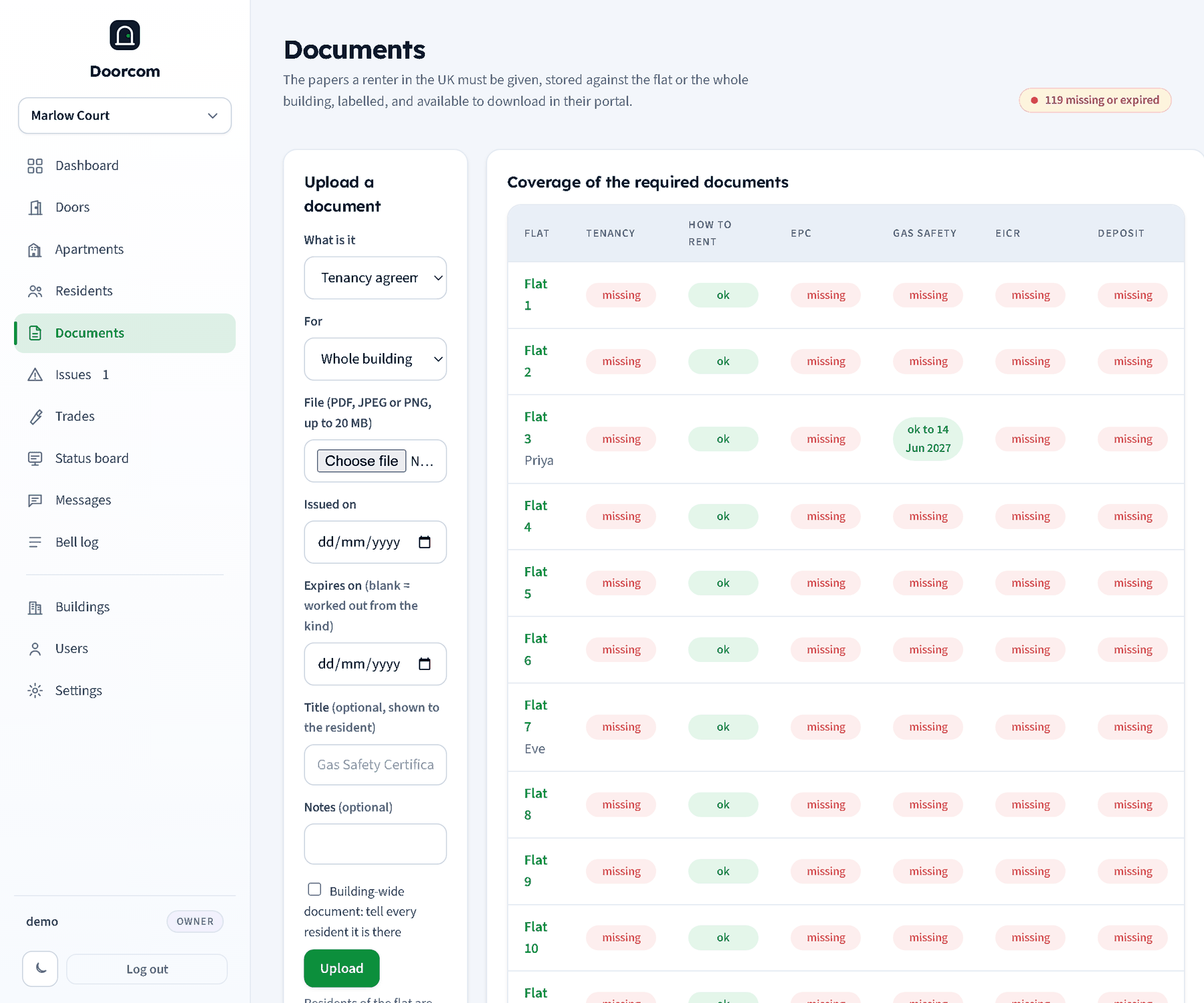
On Documents, choose what the document is, which flat it is for (or Whole building), the file (PDF, JPEG or PNG, up to 20 MB), the issued date and, optionally, the expiry date. When the expiry is left blank and the kind has a typical validity, it is worked out from the issued date. A title (shown to the resident) and notes are optional. A kind that belongs to one flat will not save without a flat; a building-only kind ignores the flat.
The residents of the flat are told a new document is there, by Telegram, email or text. For a building-wide document, tick tell every resident it is there to notify the whole building. The upload is noted in the log.
Coverage
The coverage table lists every flat against the required kinds. Each cell is one of: ok (with the expiry date when there is one), expiring (within 60 days), expired, or missing. A building-wide document counts for every flat. The page head shows how many cells are missing or expired. Click a flat to see its documents with the building-wide ones.
Listing, downloading, deleting
The documents table shows every file with its kind, scope, dates, size, who uploaded it and when. Download from the panel at /documents/{id}/download; delete with the button on the row (logged). Files are stored inside the database, so they are part of the backup.
In the portal
A resident's Documents tab (/r/<slug>/documents) lists the flat's own documents and the building-wide ones with their labels, scope, dates and validity, and downloads them at /r/<slug>/documents/{id}. A resident can only ever download their own flat's documents and the building-wide ones.