Trades and jobs
A trade is anyone you send work to: a handyman, a locksmith, an electrician, a plumber, a cleaner, the lift company, or one of your own staff. A job is one issue sent to one trade. Trades need no account and no password: a job link works on its own, and a login QR opens their whole job list.
Trades
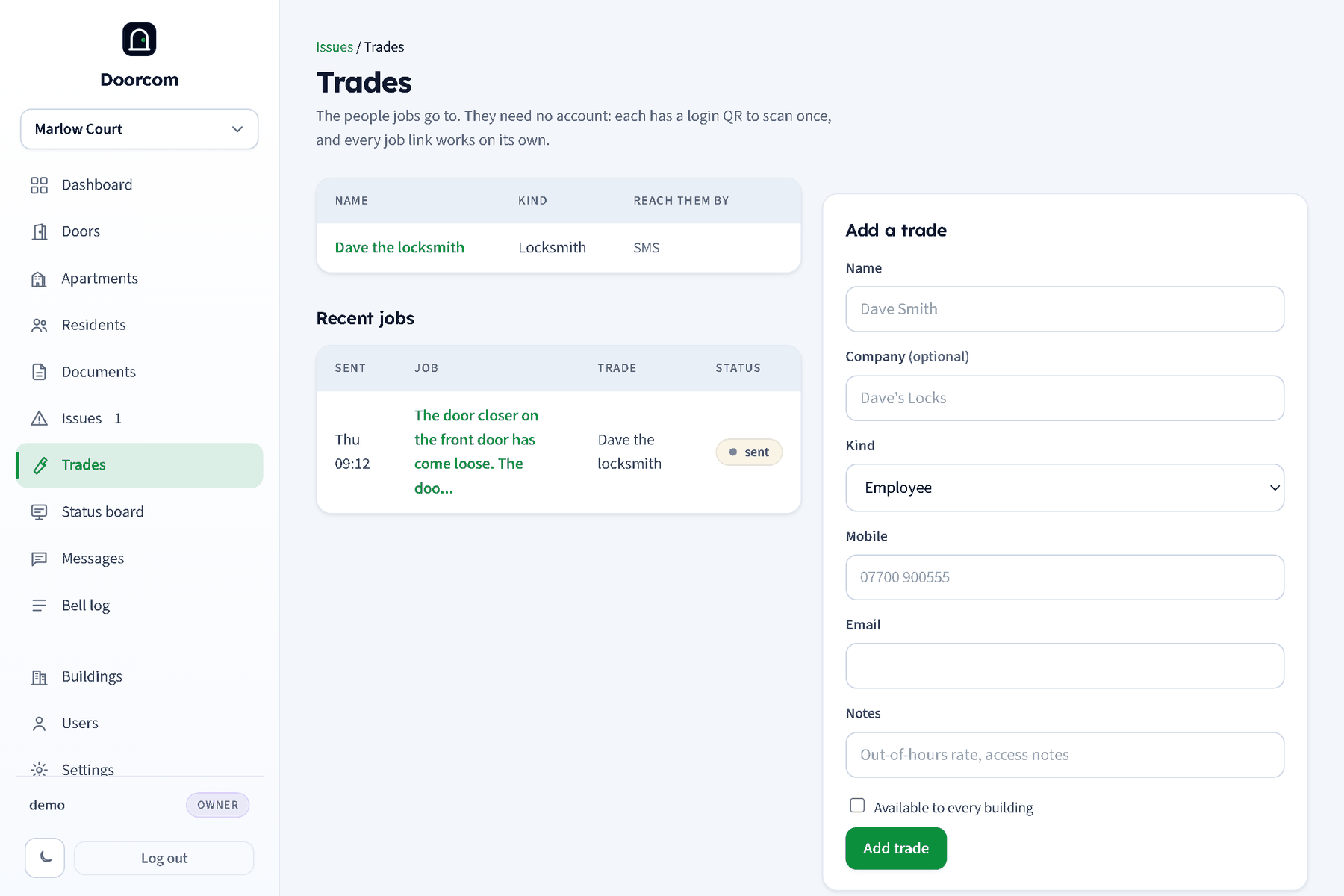
Trades in the sidebar lists the building's trades with how they can be reached (SMS, email, Telegram) and the recent jobs. Add one with a name, an optional company, a kind, a mobile, an email and notes. Owners can tick shared to make a trade available to every building. A trade can be a person or a company: the company name is searchable and the contact details are where the job goes.
The login QR
A trade's page (/trades/{id}) shows a QR for /t/<login token>. The trade scans it once with their phone: from then on /t on that phone is their job list, open jobs first across every building they work for, then done jobs, for five years without signing in again. New QR (signs everyone out) replaces the token and signs every phone out. The page also shows the trade's jobs and lets you edit the details or mark the trade inactive.
Sending a job from an issue
On an issue, the Send to a trade box searches as you type, by name, company and kind ("plumb" finds every plumber the building can use). Pick one, write instructions, send. If nothing matches, the box offers Add "what you typed" and unfolds the new-trade fields (kind, company, mobile, email, notes), so the trade is created and the job sent in one step.
Sending a job:
- creates the job with a random 24-character token and the issue's title, and sets the issue to In progress, assigned to the trade;
- writes "Sent to Dave the locksmith" into the thread and the log;
- sends the trade a link,
/j/<token>, by Telegram, text and email, whichever they have. If they have none, the page tells you nobody was told and shows the QR so they can scan it at the desk; - replaces any earlier open job on the same issue.
Cancel job kills the link, clears the assignee and sets the issue back to Open.
The job page
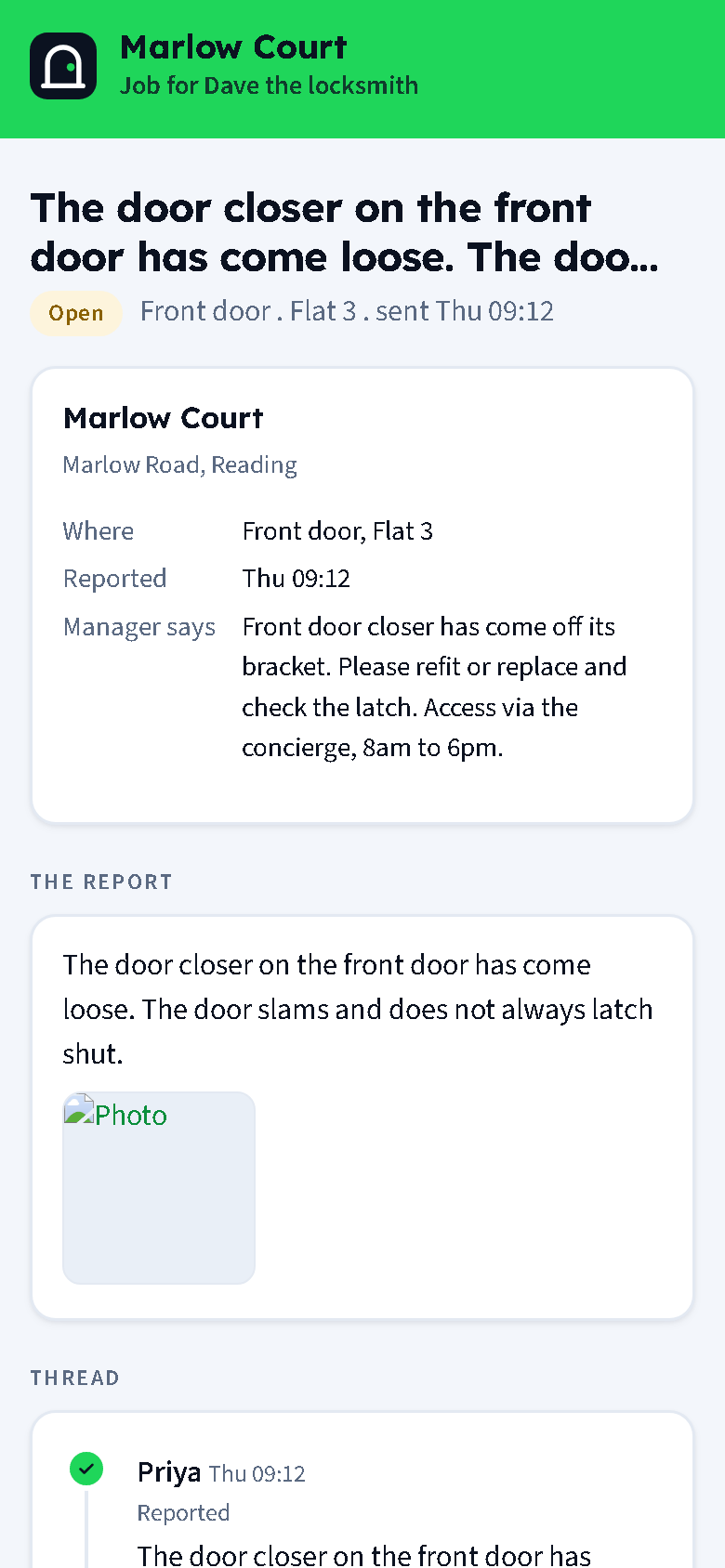
The trade opens the link (or their job list) and sees the building, the location, the report and every photo, the thread so far, and your instructions. The page notes when it was first opened.
- Message the resident
- Text and an optional photo. It goes into the thread as the trade and reaches the residents of the flat by Telegram, email or text, with a link to their portal thread. The managers are told too. The trade never sees a number or an email; the resident sees only the trade's name. Replies from the resident land in the same thread and the trade is told.
- Job done
- A note and an optional photo. The job is marked done, the issue is marked fixed, the note and photo go into the thread, the residents are asked "[trade] says [title] is fixed. Is it?", and the managers are told. The resident's confirmation closes the issue; Still a problem reopens it and tells the trade.
A finished job's link keeps working for thirty days, then shows "This job link has expired". A cancelled job's link says so.
Jobs in the panel
Jobs (/jobs) lists the building's jobs for managers and owners; for a staff login it is "My jobs". On an issue whose job is open, managers and the staff member it was sent to get a Mark this job done form (note and photos) that does exactly what the trade's Job done button does. See Staff logins.