Settings
Settings are service-wide: they apply to every building. Only an owner can change them; a manager sees a summary. Secrets (tokens, keys, passwords) are never shown back: a blank field keeps the stored value and a tick box removes it.
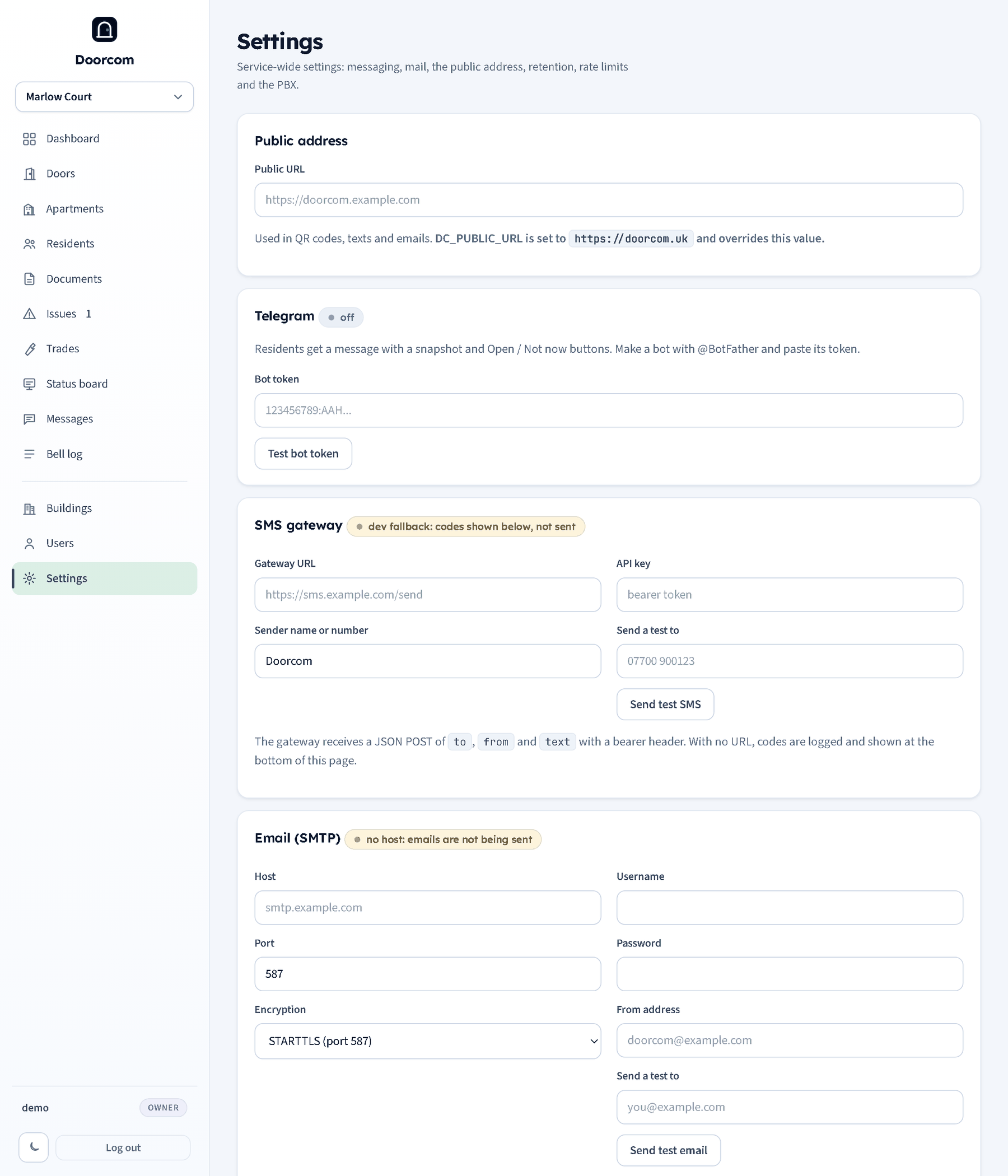
Public address
The address QR codes, texts and emails are built from. When the service is started with DC_PUBLIC_URL set, that wins and the page says so. Blank means the address the browser came in on, which is fine for a test and wrong for a poster.
Telegram, step by step
Doorcom needs one bot. Residents link to it from their portal; the bot sends rings with photos and Open door and Not now buttons, issue alerts and messages.
- In Telegram, open a chat with @BotFather and send
/newbot. - Give the bot a display name ("Marlow Court door") and a username ending in
bot("marlowcourt_bot"). The username is what residents will see. - BotFather replies with a token like
123456789:AAH.... Copy it. - On Settings, paste it into Bot token and press Test bot token. The page confirms the bot's username and the link residents will use.
- Restart the service (
sudo systemctl restart doorcom). The bot is started at start-up; until then the badge says "token set, restart to start the bot".
Optional: send BotFather /setuserpic to give the bot the building's logo and /setdescription with a line of explanation. Residents link from the portal's Telegram page, and trades from their job page. Panel users are told about reports by email and text; there is no Telegram link for them in this version.
SMS gateway
Texts carry sign-in codes, claim links, urgent alerts, job links and messages to residents with neither Telegram nor email. Doorcom posts JSON to the Gateway URL with to, from and text and the API key as a bearer header. Sender name or number is the from field. Send test SMS saves the form and sends "Test from Doorcom" to the number you type.
With no gateway URL the service runs its dev fallback: codes are not sent but logged and listed at the bottom of the Settings page, and shown on the resident's code page. Fine for setting up, not for a live building.
Email (SMTP)
Host, port, encryption (STARTTLS on 587, TLS on 465, or none for a local relay), username, password and the from address. Email carries missed rings with the snapshot, messages left at the door, issue replies and job updates, new and urgent issues for managers, job links for trades and claim links. It goes through a queue drained every thirty seconds with retries, so a slow mail server never slows a page. Send test email sends one straight away and shows the error if there is one. With no host, queued emails are listed at the bottom of the page instead of being sent.
Retention and limits
- Keep visitor snapshots for: 7 days by default.
- Keep voice messages for: 7 days.
- Keep issue photos for: 365 days.
- Default ring timeout: 45 seconds (each door can override it).
- Rings per visitor per door in 5 minutes: 3. Rings per flat in 30 seconds: 1. Rings per door per hour: 20.
Purges run every hour.
PBX (calls)
The phone system that rings residents and carries the visitor's audio. Leave it blank until the PBX is ready; rings still go out by Telegram and email.
- WebSocket URL, SIP domain
- Where the visitor's browser registers for the audio leg (
wss://...) and the SIP domain it uses. - Shared secret
- Sent by the PBX as the
X-Doorcom-Secretheader on/pbx/resolveand/pbx/event. A wrong secret is refused and logged. - Confirm keypress timeout
- Seconds a leg has to press 1 or 2 after answering before it is dropped as unconfirmed. 8 by default; 3 to 30.
- STUN and TURN
- The servers the browser leg uses to get audio through home routers and mobile networks, with the TURN username and password.
- Whisper text
- What a resident hears when they answer, with
{building},{door}and{flat}filled in.
For development the service can be started with DC_PBX=stub: an in-process fake PBX with a page at /pbx/stub where you press the buttons a real phone would.
Billing
Claimed flats are counted on the first of each month automatically. Snapshot billing now records this month's count by hand. See Billing.
Saving
Save settings stores everything and notes it in the log. Telegram and the SMS gateway are wired at start-up, so a change to either needs a restart; the message after saving says so.